01 / 07
Every computer runs antivirus or EDR
Endpoint protection runs on each computer and checks that computer for malware and suspicious processes. In the video, the green shield on each screen stands for this protection.
Endpoint protection runs on each computer and checks that computer for malware and suspicious processes. In the video, the green shield on each screen stands for this protection.
An employee opens a link or attachment in a phishing email, or visits an infected website, and the attacker gets access to the computer. Some attack techniques bypass endpoint protection. Then the computer shows no warning.
From the first computer, the attacker scans the network, connects to other workstations and reaches the servers. Data then leaves the building. Each endpoint agent checks only its own computer, so the traffic between computers is not monitored.
To reach the servers, the attacker has to scan the network and connect to other computers. Intrudect raises alerts for this activity: network scans, SSH or RDP logins to computers where you have not allowed them, connections that break your rules between network segments, and any contact with a decoy service from the Intrudect honeypot. It also raises an alert when a new device connects to the network.
The network agent analyses a copy of the switch traffic from a SPAN port, so nothing is installed on the computers. Each alert names the source and destination hosts, so you can trace the attack back to the first computer.
Alerts appear in the Web UI. You can route them by category, priority and work hours to Slack, Teams, Mattermost, Discord or e-mail, or export them as JSON into Elastic, Wazuh and Security Onion.


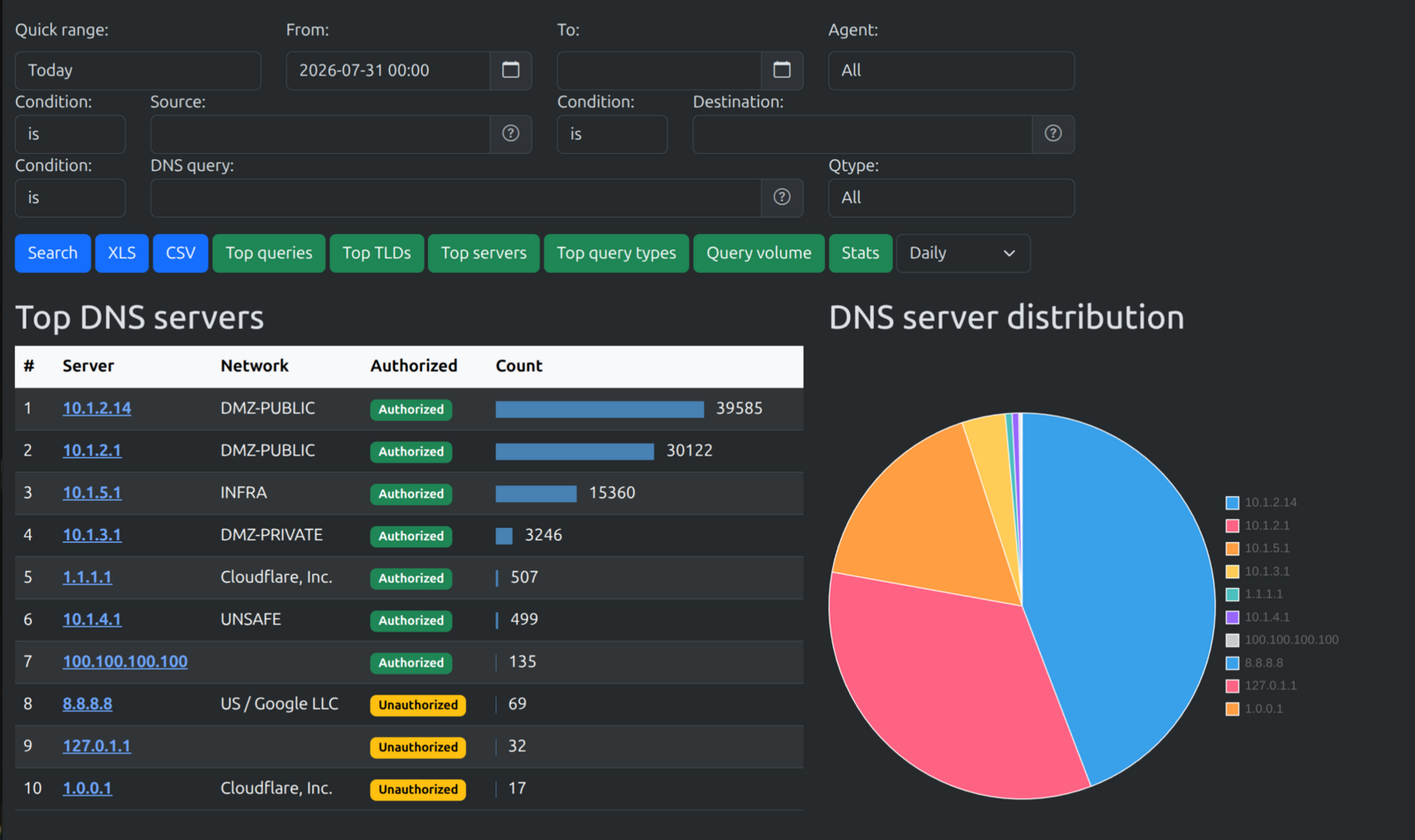


Intrudect stores metadata for the traffic it sees: DNS queries, TCP and UDP sessions with duration and bytes, DHCP requests, HTTP request headers, and the devices and services on each network segment.
During an incident, you search this data to see what the attacker did before and after the alert. Outside incidents, the same data gives you an inventory of the devices and services on your network and shows their traffic patterns: which hosts talk to each other, over which ports and how much.
Intrudect installs from deb or rpm packages on your own hardware. It runs without internet access and sends no telemetry.